A product can be designed to include child products, which is useful for creating product bundles. The cost of child products is always added to the total cost of the bundle. The bundle’s overall pricing can be accomplished in several ways: the parent product has a price other than zero. The parent product’s price is added to the child product’s price, and the parent product has a price of zero and is marked as a virtual price. The final bundle price is the sum of the child product prices.
Introducing a bundled package that includes three products: Product A, Product B, and Product C. Here’s how the pricing and offer are structured:
a. Product A is typically priced at $X.
b. Product B is usually priced at $Y.
c. Product C is bundling with the offer.
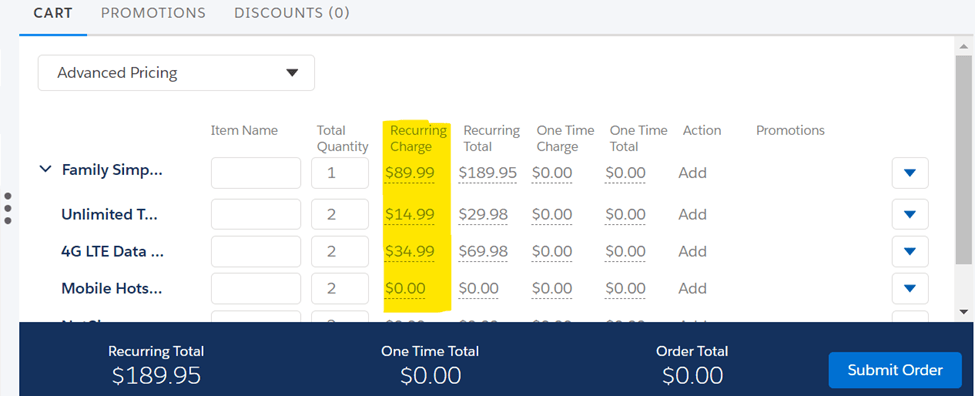
Let’s configure the Order and include the parent product Family Simple Choice Plan with the other child products, and we can see the total price along with the child product price in the image below.
Now, when a customer buys Bundled Product C, they will receive Product A and Product B for free. This is possible with Price Override and Adjustment. We are going to achieve the following :
Let’s take a look at how we can accomplish this.
Override the pricing of the child product A
- Locate the child products in the bundle by expanding the bundle to show all child products after clicking the Product Structure facet.
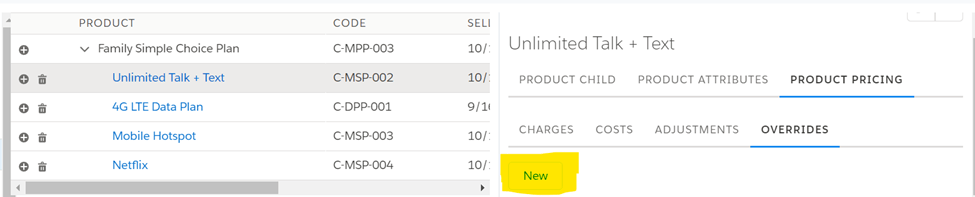
- Select Unlimited Talk + Text (click within the row, not on the link).
- In the right-hand panel, click the PRODUCT PRICING tab, then the OVERRIDES subtab and click on New as shown in below image.
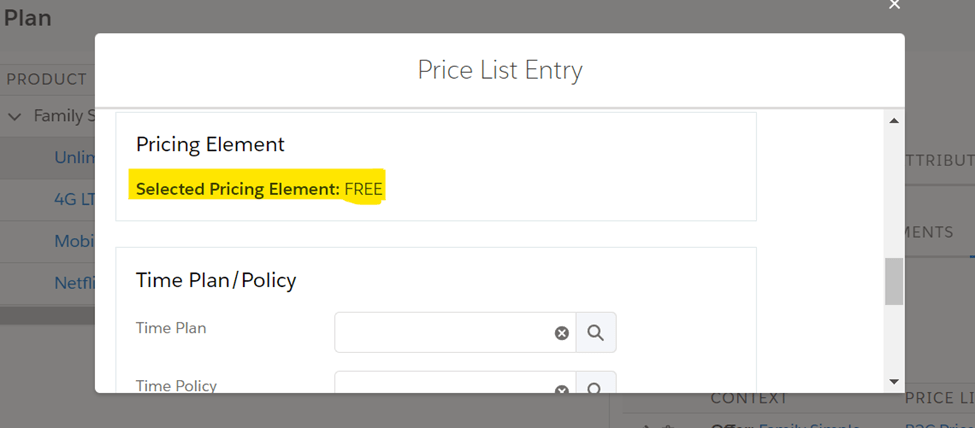
4. In the Price List Entry window, select Pricing Element Free.
Adjustment the pricing of the child product B by reducing the price 100%
- Select 4G LTE Data Plan by clicking within the row.
- In the right-hand panel, click the PRODUCT PRICING tab, then the ADJUSTMENTS subtab

3. Make Pricing Element 100% Off Monthly

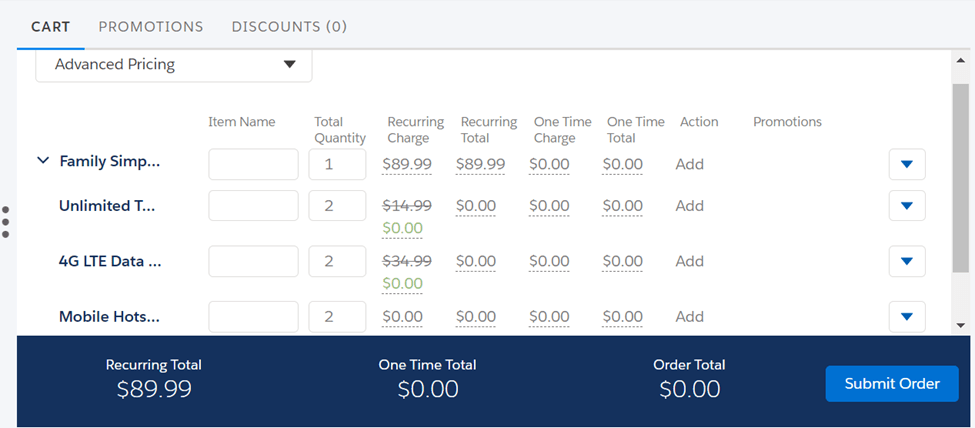
4. Save it, then go to the Cart and select the parent bundled product. You can see that child products now have price value zero, and the total price of the bundled product is same as Parent product.
Stay tuned for the next post, in which we’ll go into more detail about pricing scenarios in bundled products.
Hope this information helps you guys.
Cheers!!!
Mukul Sharma
 vlocitysfdc.com